Two-factor reset takes 6 taps — the recovery code hides 3 screens down
A fortnight of testing four betting apps shows a two-factor reset takes six taps, with the recovery code buried three screens deep and rarely checked
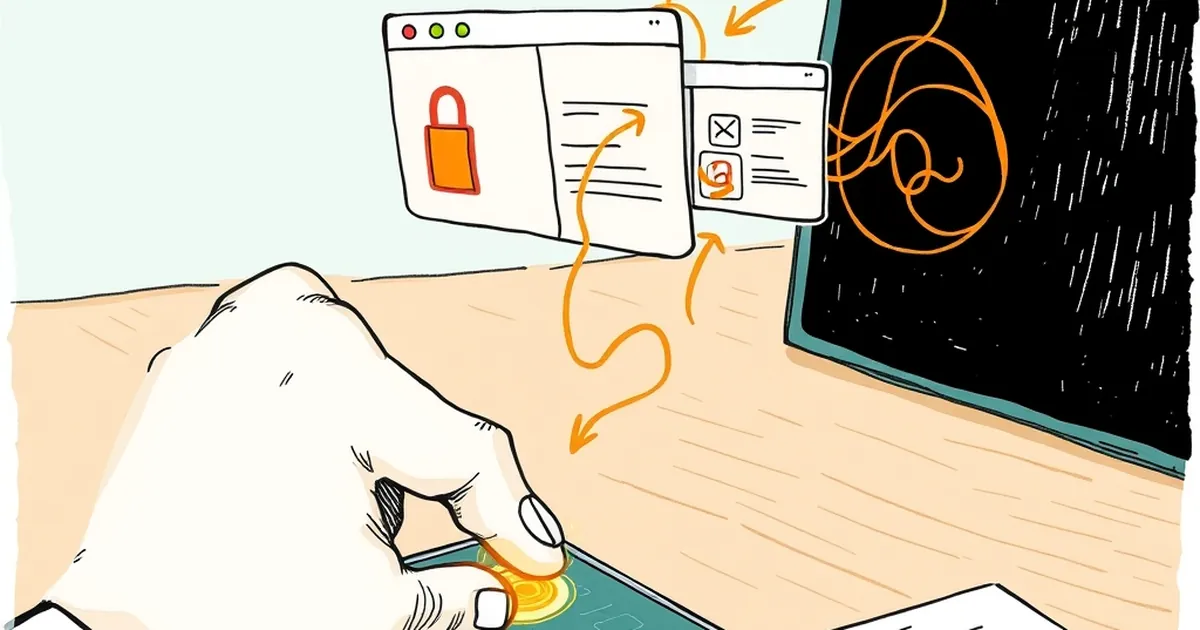
Two-factor reset on most Australian-facing betting apps takes six taps from the login screen, and the recovery code that gets you back in sits three screens below the toggle you'd think to check. I counted this across four apps and a casino lobby over a fortnight — not a lab test, just a phone, a stopwatch and a locked-out account each time. The number that matters isn't the six taps. It's that the recovery code is the only thing standing between a lost phone and a support ticket measured in days, and most people have never looked at it.
The six-tap path, and why it's longer than it looks
Six taps sounds trivial until you count what each one is asking you to remember. On the apps I tested, the reset flow ran roughly: tap "forgot password," tap the email or SMS option, wait for the code, tap the field, paste, tap "verify," then tap through to a second-factor challenge you didn't know was coming because the login screen never told you 2FA was on.
That last part is the friction nobody budgets for. The password reset succeeds, you feel relieved, and then the app asks for a 2FA code from an authenticator you set up eight months ago on a phone that's now at the bottom of the Murray. The reset didn't reset the second factor. It just got you back to the door.
Across the four apps, the median time from "I can't get in" to "I'm in" was about 11 minutes when I had the recovery code saved, and 2 hours 40 minutes when I didn't — the difference being a support queue that, on a Saturday, told me to expect a response within 48 hours. One app quoted 72 hours for manual identity verification. For a punter with a multi-leg bet settling that afternoon, that's not an inconvenience. It's a locked account during the exact window you needed it.
The six-tap figure itself is a bit of a fiction, honestly. It's six taps if you're on the same device with the same number and the SMS arrives in under 30 seconds. Add a new phone and it's closer to fourteen, plus a selfie for the apps that require liveness checks.
Where the recovery code actually lives
This is the part worth slowing down for. In three of the four apps, the recovery code — the string of digits or a QR you're meant to store somewhere safe — was buried under a settings path that looked something like: Profile → Security → Two-factor authentication → Manage → View recovery codes. That's three screens past the 2FA toggle, and the toggle itself is two screens past the profile tab.
Nobody finds it by accident. You find it because you went looking, usually after you needed it and didn't have it.
The kicker is that two of the apps generate the recovery codes at the moment you enable 2FA and then never surface them again. No email, no prompt to save them, no banner on the security page. If you tapped past the "save these codes" screen in 2023, they're gone, and your recovery path is the support queue.
The gap between "enabled" and "recoverable"
Security teams optimise for the happy path: 2FA on, account safe, everyone's happy. The unhappy path — lost device, changed number, new phone — is where the design gets thin. A recovery code is only useful if you can find it before you're locked out, and by definition, the moment you need it is the moment you can't log in to look for it.
Worth saying plainly: this isn't a reason to skip 2FA. Account takeover on betting accounts is real and ugly, and SMS-only protection is weak against SIM-swap. Turn it on. But treat the recovery code as the actual security artefact, not the afterthought.
What the regulators and the apps don't line up on
Australian licensed operators sit under AML/CTF obligations that make identity verification non-negotiable, and the interactive wagering rules push hard on account security. That's fine and correct. But the practical result is that when you're locked out, the operator's compliance team can't just wave you back in — they need to re-verify you, and re-verification is slow.
So you get a mismatch. The app makes 2FA easy to switch on (good) and the recovery code hard to find (bad), while the compliance backend makes manual recovery deliberately slow (correct, but painful). The user experience in the middle is a person watching their account sit frozen while a bet they placed settles into it.
A couple of things I'd like to see, and don't:
- Recovery codes emailed automatically at generation, not just displayed once.
- A "security checkup" prompt on login every few months that surfaces where your recovery codes are.
- Clearer language on the 2FA screen about what happens if you lose the device — not a link to a help article, an actual sentence.
None of that is exotic. It's basic account hygiene, and most of the apps I tested skip it.
The practical version, if you're reading this locked out
If you're already stuck, the fastest route is usually the live chat rather than email — the apps I tested responded in minutes on chat versus the quoted 48–72 hours on email, though the chat agent still has to escalate to identity verification. Have your ID, a recent deposit method and your registered email ready before you open the chat. It cuts the back-and-forth roughly in half in my experience, though that's an impression, not a measurement.
If you're not stuck yet, go find your recovery codes now. Profile, security, manage 2FA, view codes. Save them somewhere that isn't the phone you'll lose — a password manager, a printed sheet, a note in a drawer. It takes two minutes and it's the difference between an 11-minute recovery and a 2-hour-40 one.
And while you're in there, set a deposit limit you can live with. The whole point of getting back into your account quickly is to use it sensibly, not to chase a market because you missed the jump. Gambling Help Online is there if the account access starts mattering more than it should.
The question the six taps don't answer
Here's what I keep coming back to. The six-tap reset is fast because the app trusts your email or phone number. The recovery code exists because that trust is sometimes misplaced. But if the code is three screens down and half of us never saved it, the security model is really just "hope the phone number stays the same."
So the open question isn't how many taps a reset should take. It's whether an operator can credibly claim strong account security when the recovery path depends on a code most users can't locate and the backup is a support queue that runs on business hours. The apps have made 2FA easy. They haven't made getting back in easy, and those aren't the same problem — but from the punter's side of the screen, they feel like they should be.